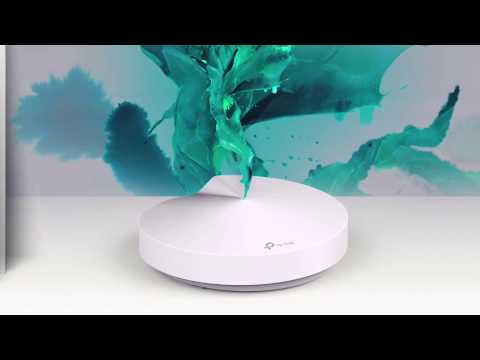

TP-Link Deco
In-app purchases

star
248K reviews

Everyone
info
10M+
Downloads

Everyone
Learn more


About this app
Welcome to the Deco App — the perfect way to set up your mesh WiFi in minutes and control your whole network.
Our simple-to-follow guide walks you through the setup process and even gives you suggestions for whole home coverage.
Once connected, you’ll have instant access to check every connected device, manage your kids’ online activity, and control your home network effortlessly. All from the palm of your hand.
- EASY TO SET UP AND MANAGE
• Quickly set up with step-by-step instructions
• Find the best spots to place additional Deco units for maximum coverage
• Control your WiFi network without turning on your computer
• Check your connection status and network speed at a glance
• Find out who or what is connecting to your network
• Instantly block unwanted devices with a tap
- PROTECT YOUR WIFI
• Detect potential threats and receive warnings before things get serious
• Create a guest network to give friends internet access while shielding your private network
• Block unauthorized access and inappropriate content
• Run network performance tests
- FIND FAMILY TIME WITH PARENTAL CONTROLS
• Set a time restriction and pause the WiFi on kids’ devices
• Control when specific devices have WiFi access
• Make room for more family time with Schedules
- PRIORITIZE YOUR FAVORITE DEVICES
QoS lets you choose which devices always have the fastest connections. Set a schedule to assign device priority for different times of the day.
- KNOW EVERYTHING ABOUT YOUR NETWORK
Detailed reports help you understand your home WiFi and everything connected.
- CREATE YOUR SMART HOME
Connect, control, and check the status of your smart cameras, plugs, and lights – all from the Deco app.
Features available in Deco may vary by model and software version. Stay tuned for updates as we add new features and products to the Deco family!
Privacy Policy: https://privacy.tp-link.com/app/Deco/privacy
Term of Use: https://privacy.tp-link.com/app/Deco/tou
HomeShield Subscription Service Agreement: https://privacy.tp-link.com/others/homeshield/sa
HomeShield Privacy Policy: https://privacy.tp-link.com/others/homeshield/policy
For more information about Deco, visit www.tp-link.com
Welcome to the Deco App — the perfect way to set up your mesh WiFi in minutes
Updated on
Safety starts with understanding how developers collect and share your data. Data privacy and security practices may vary based on your use, region, and age. The developer provided this information and may update it over time.
- No data shared with third partiesLearn more about how developers declare sharing
- This app may collect these data typesPersonal info, Photos and videos and 3 others
- Data is encrypted in transit
- You can request that data be deleted


Ratings and reviews
241K reviews

A Google user
- Flag inappropriate
December 15, 2018
2018 update: a year later with all the updates along the way Feco became solid, stable, first class product. the review below no longer holds true and i give kudos to the Deco team for making a great and constantly improving product_ ____________ Very limited interface and it doesn't seem to be working as intended. During the initial setup you can define a guest network, but you won't be able to use it since a toggle to enable it is missing from the UI.
11 people found this review helpful
TP-LINK SYSTEMS INC.
October 13, 2017
Have you tried to close and re-open the Deco app? To use the guest network, please verify that you're using the default Router mode. If the issue still exists, please tap one of the Deco units on the dashboard of the Deco app, then find the three circles at the upper right corner, tap it and choose Feedback and send an email to us. Thanks.

Marissa Dee
- Flag inappropriate
September 5, 2025
This is a very handy app! when I first downloaded it, I didn't think I would need it other than for setup. however it has been great in managing and ensuring the right devices are connected to our home network. I really enjoyed the ability to assign specific devices to the closest Wi-Fi point and renaming them so that I know what they are. I haven't had any issues with the app at all.
87 people found this review helpful

Heidi H
- Flag inappropriate
November 24, 2026
I just bought this internet extender. When I went into the app today, it made me sign back in. Except part of that is matching a puzzle piece in a photo. But every time I think it's in the right place, I remove my finger and it moves. And I can't contact tech support because I can't sign in. This is ridiculous. I've never seen this kind of requirement to sign in on any app ever.
What’s new
Fixed some bugs and improved stability.
Everyone
Learn moreApp support
About the developer
TP-Link Systems Inc.
app.support@tp-link.com
10 Mauchly
Irvine, CA 92618-2306
United States
+1 866-225-8139


